Frequently Asked Questions
JavidGorz was created by an independent individual with a deep love for Iran and its people. Inspired by the courage of those who have stood up for their basic freedoms, this project is a heartfelt contribution to help the people of Iran stay connected to the world and to each other. Access to information is a fundamental human right, and JavidGorz exists to protect that right.
Right now, our focus is entirely on serving users inside Iran who need this the most. Our servers and infrastructure are still limited, and we want to make sure the experience is reliable for those who depend on it every day. As we grow and receive more support from the wider community, we plan to expand to Google Play, the App Store, and other platforms. For now, you can download the app directly from this website or our Telegram channel.
Yes, JavidGorz is completely free. There are no hidden costs, no ads, and no data collection. We do not accept donations or payments of any kind. The project is maintained by volunteers who believe in internet freedom. There is no catch. If you would like to help us keep it running, we welcome any support that is not money, whether that is spreading the word or contributing your skills.
Please be patient. JavidGorz automatically tries multiple different paths to get you connected. If one route is blocked, it moves to the next one on its own, so you don't need to do anything. This process can sometimes take up to a minute, especially during periods of heavy internet restrictions. Just leave the app open and let it work.
Under normal conditions, the speed is good enough for regular browsing, messaging, social media, and video calls. During periods of heavy restrictions, the app may use alternative routes that are slower but still keep you connected. Think of it like a detour: it gets you there, but it might take a little longer. The app always picks the fastest available path automatically.
Green means you are connected and everything is working well. Yellow means you are connected, but the app is using an alternative route, so things may be a bit slower than usual. Red means the app is not connected. If you see red, try turning the connection off and on again, or switch between Wi-Fi and mobile data.
Connection can take longer when internet access is heavily restricted. First, use Reconnect in JavidGorz. If that does not work, switch between Wi-Fi and mobile data, then try Reconnect again. If the Kill Switch is blocking the internet, keep JavidGorz open while you do this. A notification will tell you if automatic reconnect stops and needs your help. If you need ordinary internet immediately, choose Disconnect and unblock, but remember that this restores the internet without JavidGorz protection.
JavidGorz was built for the most extreme situations. Even during severe internet restrictions, the app has special ways of finding a path to keep you connected. The speed may be slower during these times, but the goal is to make sure you are never completely cut off.
Yes. JavidGorz is smart about what it handles. Your everyday Iranian apps, local services, and domestic websites continue to work at full speed without going through JavidGorz. Only the traffic that needs help reaching the open internet is handled by the app.
No. All your internet activity is fully protected while using JavidGorz. Nobody, not your internet provider, not your network administrator, and not even us, can see what you are doing online. We keep no records and have no way to identify you. Your privacy is the entire point of this project.
When the Kill Switch is on, JavidGorz blocks the internet if its protected connection drops. The internet stays blocked until you reconnect or turn the Kill Switch off. Your Mac may ask for its password the first time so it can allow this protection. The password stays on your Mac and is not sent to JavidGorz. Android uses separate phone settings for protection after an interruption or restart, which the next questions explain.
When the Kill Switch is on and JavidGorz is running, the app blocks the internet if the protected connection drops. This prevents other apps from using the internet without protection. The app and its notification will say that the internet is blocked. Choose Reconnect to restore the protected connection. Choose Disconnect and unblock only when you want ordinary internet without JavidGorz protection. For protection after JavidGorz is interrupted or the phone restarts, turn on both Android settings explained in the next answer.
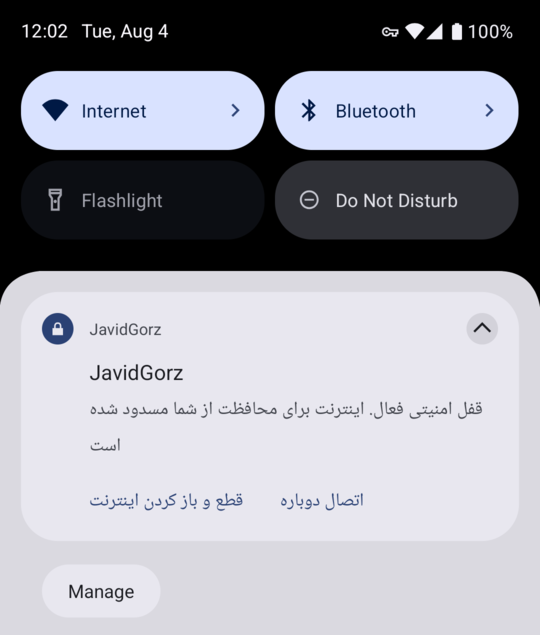
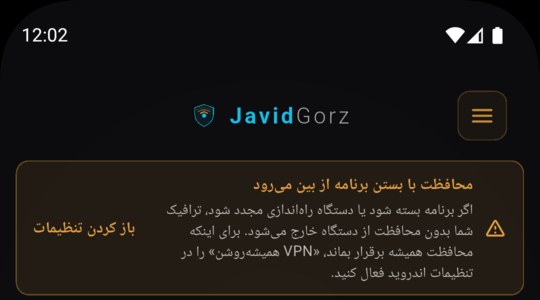
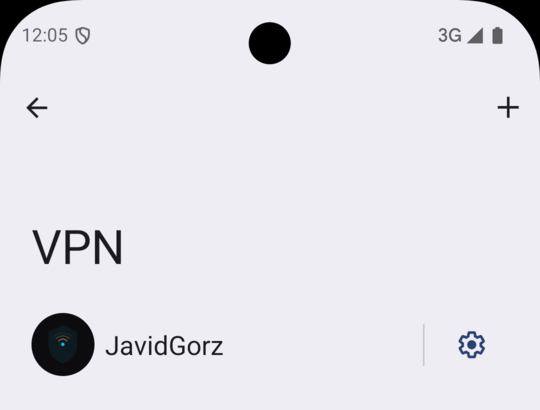
No. The in-app Kill Switch works while JavidGorz is running. If Android stops the app or the phone restarts, the app cannot keep the internet blocked on its own. This does not mean your phone or JavidGorz is broken. Open Android VPN settings, tap the settings icon next to JavidGorz, and turn on both options: 1. Always-on VPN. 2. Block connections without VPN. The first helps JavidGorz start again after an interruption or restart. The second keeps the internet blocked until JavidGorz is connected. You need both. On some phones, Android does not let JavidGorz check these settings automatically. If the app asks you to check them, open VPN settings and check both yourself. If both are already on, nothing else is needed. The option names may differ slightly on some phones.
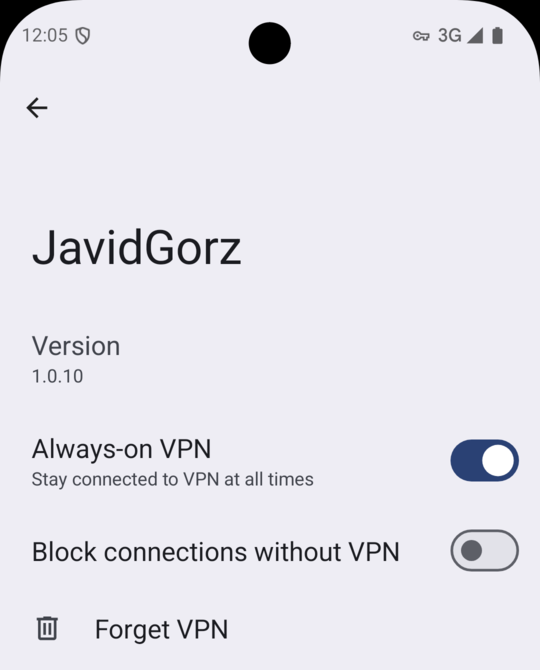
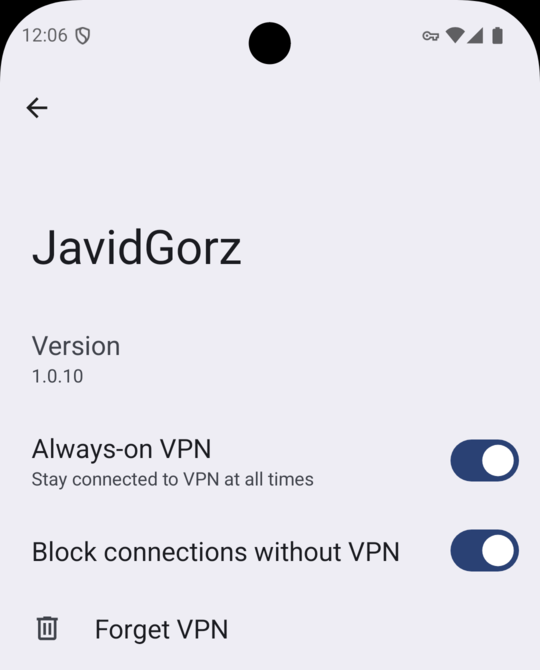
Some phones pause apps that are not on screen to save battery. If this happens to JavidGorz, the protected connection may stop. Turn off battery optimisation for JavidGorz so the connection stays active while the screen is off or you use another app. This change applies only to JavidGorz. It does not give the app access to your photos, messages, or files. The setting name differs between phones. For JavidGorz, choose an option such as Unrestricted, Don't optimise, or Allow background activity.
Phone protection settings do not always return with the app. After reinstalling JavidGorz or changing phones: 1. Connect JavidGorz once and approve the Android request. 2. Turn on Always-on VPN. 3. Turn on Block connections without VPN. 4. Turn off battery optimisation for JavidGorz. 5. Allow JavidGorz notifications. When you finish, return to JavidGorz and make sure it shows that you are connected or that the internet is blocked.
No. When reconnect does not succeed while the Kill Switch is on, JavidGorz keeps the internet blocked. This is intentional and prevents other apps from going online without protection. Choose Reconnect to try again. If you need ordinary internet now, choose Disconnect in the app or Disconnect and unblock in the notification. This restores the internet without JavidGorz protection. You can also turn the Kill Switch off from the app menu. If the screen does not yet show the blocked state, reopen JavidGorz so it can refresh the status.
The block means the Kill Switch is protecting you after the connection dropped. Choose Reconnect if you want JavidGorz to try the protected connection again. Choose Disconnect in the app, or Disconnect and unblock in the notification, if you need ordinary internet immediately. The second choice removes JavidGorz protection. You can also turn the Kill Switch off from the app menu. Disconnect in the app turns the Kill Switch off for future connections, so turn it back on when you want to use it again. Disconnect and unblock in the Android notification leaves the Kill Switch turned on.
This warning means the Kill Switch could not block the internet, so your connection is not protected at that moment. This can happen when another connection app is active or Android no longer allows JavidGorz to manage the connection. If you need the internet to stop immediately, turn off mobile data and Wi-Fi. Then turn off the other connection app, open JavidGorz, and connect again. Until JavidGorz says you are connected or the internet is blocked, treat the connection as unprotected. The notification also has Reconnect to try again and Disconnect and unblock to restore ordinary internet without protection.
Notifications tell you when JavidGorz is connected, trying to reconnect, or blocking the internet to protect you. They also show the important warning if the Kill Switch cannot block the internet. In some states, the notification includes Reconnect and Disconnect and unblock buttons so you can choose what to do without finding the app. Allowing notifications does not give JavidGorz access to your messages or files. Notifications use the language selected inside JavidGorz, even if your phone uses another language.